Business Continuity & Disaster Recovery for New Jersey & New York Businesses
Studies show that 60% of small businesses that experience significant data loss shut down within six months. Whether the threat is ransomware, a hardware failure, a natural disaster, or simple human error, your ability to recover fast is the difference between a minor disruption and a business-ending event. Advanced Systems Technology implements enterprise-grade backup, disaster recovery, and business continuity solutions that keep New Jersey and New York businesses running no matter what comes their way.
Automated cloud and local backup
Disaster recovery planning and testing
Rapid data restoration
Ransomware recovery
Business continuity planning
Off-site data replication
Backup & Recovery
Your Data, Protected and Recoverable
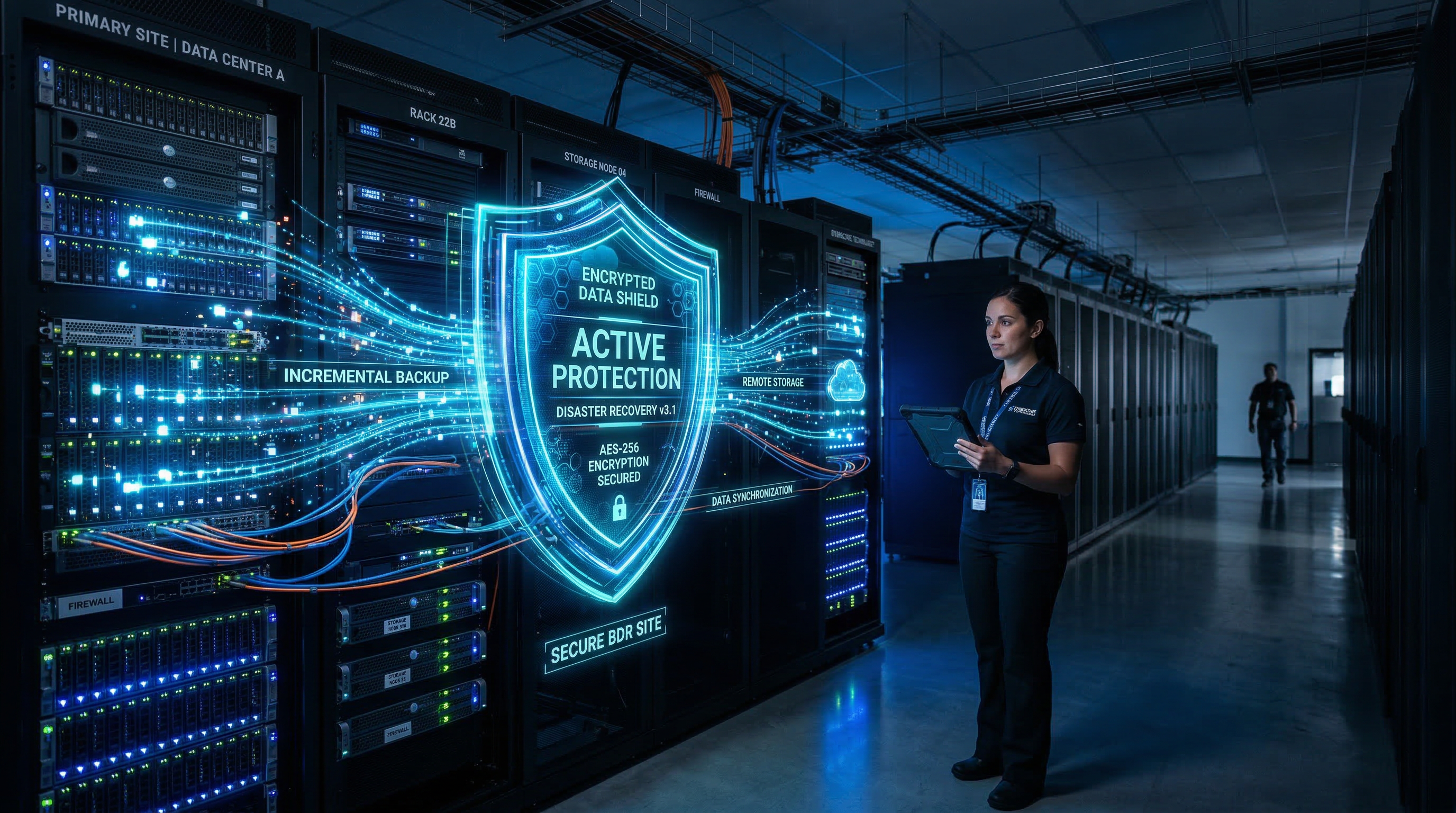
AST deploys Datto BDR (Backup and Disaster Recovery) appliances at your location — purpose-built hardware that takes incremental image-based snapshots of your servers and workstations throughout the day. Every backup is stored locally on the appliance for fast on-site restoration, and simultaneously replicated to Datto's secure cloud infrastructure for off-site protection. That gives you two independent copies of your data, so even a total site loss — fire, flood, theft — leaves your business intact.
Our backup strategy is built around your Recovery Point Objective (RPO) and Recovery Time Objective (RTO). Most of our NJ and NY clients run backups every 15 to 60 minutes, meaning you'll never lose more than an hour of work even in a worst-case scenario. Restoration times are measured in minutes for individual files and hours for full server rebuilds, not the days or weeks that tape-based or legacy backup systems require. If your physical server fails, we can spin up a virtualized copy of it directly on the Datto appliance while we source replacement hardware — keeping your team productive with zero extended downtime.
Backup testing is where most IT providers fall short. A backup that hasn't been verified is not a backup — it's a false sense of security. AST runs automated nightly screenshot verification on every protected server, confirming that each backup boots successfully and is clean. We also perform manual quarterly restore tests and provide you with a backup health report so you always know the status of your data protection. Our managed IT services clients receive continuous backup monitoring as part of their monthly plan.
- Automated backup with multiple daily snapshots (every 15–60 min)
- Both local (on-site Datto appliance) and cloud-based backup copies
- Defined RPO and RTO targets matched to your business requirements
- Rapid restore — individual files in minutes, full servers in hours
- Automated nightly screenshot verification of every backup
- Quarterly manual restore testing with written health reports
Business Continuity
Keep Your Business Running, No Matter What
Backup is a component of business continuity — but it's not the whole picture. True business continuity planning means understanding exactly how your organization functions, identifying which systems and data are most critical, and building a documented recovery strategy before any crisis occurs. AST conducts a formal Business Impact Analysis (BIA) for each client, mapping your applications, workflows, and dependencies so we know which systems must come back online first and what the financial cost of downtime is for your specific operation.
From the BIA, we build your Disaster Recovery Plan — a step-by-step runbook that covers every failure scenario: ransomware attack, server hardware failure, ISP outage, office fire, or complete site loss. The plan assigns clear roles and responsibilities to your staff and our team, so there's no confusion or delay when something goes wrong. We document contact trees, vendor escalation paths, alternate work locations, and communication templates so your team can act immediately under pressure.
Recovery exercises test whether the documented process works. Exercise frequency, participants, systems covered and reporting are agreed for each engagement.
- Business Impact Analysis identifying critical systems and recovery priorities
- Defined Recovery Time Objectives (RTO) and Recovery Point Objectives (RPO)
- Written Disaster Recovery Plan with step-by-step runbooks
- Role assignments and staff communication templates
- Annual DR drills with after-action reporting
- Ongoing plan maintenance as your business changes

Ransomware Recovery
Ransomware Hit? We Get You Back Online Fast
Ransomware is the most common and damaging threat facing small and mid-sized businesses in New Jersey and New York today. When an attack hits, the first 30 minutes are critical. AST's incident response process begins immediately: we isolate the infected systems from the rest of your network to stop lateral spread, identify the attack vector, and assess the scope of the encryption. Paying the ransom is almost never the right answer — criminals frequently fail to provide working decryption keys, and payment marks your business as a willing target for future attacks.
Recovery depends on the availability of a clean, usable backup, data volume, connectivity, replacement infrastructure and the selected backup product. AST agrees recovery objectives during discovery and validates them through scoped restore testing. Local virtualization requires a suitable BDR appliance and is available only where included in the design.
- Immediate isolation of infected systems to contain the outbreak
- Clean restoration from appropriately isolated and access-controlled backup copies
- Full environment rebuild and validation before returning to production
- Post-incident forensic review and vulnerability remediation
- Attack vector closure and security hardening
- Coordination with cyber insurance providers as needed

Cloud Backup & Data Protection
Your Cloud Data Needs Backup Too
Microsoft 365 includes retention and recovery features, and Microsoft offers Microsoft 365 Backup as a separate service. These capabilities are not a substitute for selecting and configuring a recovery strategy. AST reviews licensing, retention, restore requirements and third-party backup options for Exchange Online, SharePoint, OneDrive and supported Teams data.
Beyond Microsoft 365, we extend cloud backup coverage to your on-premises servers, virtual machines, and employee endpoints. Server backup captures your file shares, application data, databases, and system state. Endpoint backup protects individual workstations and laptops — critical for remote and hybrid workers whose devices may never touch your office network. All backup data is encrypted in transit and at rest. For businesses in regulated industries such as healthcare, legal, or finance, our backup and retention policies are designed to meet HIPAA, FINRA, and other compliance requirements. Explore how our Cloud & Microsoft 365 services and managed IT plans integrate with backup for complete coverage.
- Microsoft 365 backup — email, SharePoint, OneDrive, and Teams
- Point-in-time restore for accidental or malicious deletion
- On-premises server and virtual machine backup
- Endpoint backup for laptops and remote worker devices
- Encryption in transit and at rest for all backup data
- Compliance-aligned retention policies for regulated industries

Frequently Asked Questions
Common Questions About Business Continuity & Disaster Recovery
What is business continuity planning?
Business continuity planning (BCP) is the process of identifying which business functions are critical, what threats could disrupt them, and how your organization will maintain or quickly restore operations after a disruptive event. It covers everything from which systems get restored first after a server failure, to how staff will communicate and work if your office is inaccessible. A solid BCP reduces downtime, limits financial loss, and gives your team a clear playbook to follow under pressure. AST builds customized business continuity plans for NJ and NY businesses across all industries.
How often should backups run?
Backup frequency depends on how much data your business can afford to lose — this is called your Recovery Point Objective (RPO). For most businesses, we recommend backups every 15 to 60 minutes for servers running critical applications, databases, or financial records. Less active systems may be backed up hourly or every few hours. Daily backups alone are generally insufficient for modern businesses — a ransomware attack at 4:59 PM after a 5:00 AM backup means an entire day of lost work. AST sizes backup schedules to your specific RPO and adjusts them as your business grows.
Can you recover data after a ransomware attack?
Recovery depends on the availability of a clean, usable backup, data volume, connectivity, replacement infrastructure and the selected backup product. AST agrees recovery objectives during discovery and validates them through scoped restore testing. Local virtualization requires a suitable BDR appliance and is available only where included in the design.
What's the difference between backup and disaster recovery?
Backup is the act of copying and storing your data so it can be restored later. Disaster recovery (DR) is the broader process of restoring your IT systems and business operations to a functional state after a major disruption — which may involve much more than just retrieving files. DR includes restoring servers, configuring network settings, re-deploying applications, testing connectivity, and getting staff back to work. Backup is a critical input to disaster recovery, but DR also requires documented procedures, tested runbooks, defined recovery time targets, and trained personnel. AST provides both: the technical backup infrastructure and the documented DR plan to execute against it.
How fast can you restore our systems?
Recovery depends on the availability of a clean, usable backup, data volume, connectivity, replacement infrastructure and the selected backup product. AST agrees recovery objectives during discovery and validates them through scoped restore testing. Local virtualization requires a suitable BDR appliance and is available only where included in the design.
Do you back up Microsoft 365 data?
Microsoft 365 includes retention and recovery features, and Microsoft offers Microsoft 365 Backup as a separate service. These capabilities are not a substitute for selecting and configuring a recovery strategy. AST reviews licensing, retention, restore requirements and third-party backup options for Exchange Online, SharePoint, OneDrive and supported Teams data.
Related Services
Explore Our Other IT Solutions
Managed IT Services
Proactive monitoring, helpdesk support, and full IT management for NJ and NY businesses. Backup monitoring is included in every managed IT plan.
Learn MoreCybersecurity
Endpoint detection, firewall management, security awareness training, and ransomware prevention to protect your business before disaster strikes.
Learn MoreCloud & Microsoft 365
Microsoft 365 deployment, management, and backup — covering email, SharePoint, OneDrive, and Teams for your entire organization.
Learn MoreReady to Get Started?
Book a free 15-minute call to discuss your specific needs and get a tailored recommendation.